Flexible Benefits
Employee Benefits in HRMS
Flexible benefit plans allow employees to avail the benefits they want or need from a package of programs offered by an employer. They may include health insurance, pension plans, telephone expenses, etc.
To set Flexible Benefits in Mjara HR, follow the following steps:
Types of Benefits
Once Is Flexible Benefit is enabled for a salary component, user can choose how to pay it out based on following scenarios:
- Accrue and payout at end of payroll period
- The benefit amount accrues each payroll cycle and is fully paid out in the final cycle.
- Accrue per cycle, pay only on claim
- The benefit accrues each cycle but is paid only when the employee submits an Employee Benefit Claim.
- Payout is processed via Additional Salary.
- Optional: Any unclaimed accrued balance can be auto-paid in the final cycle by enabling Payout Unclaimed Amount in Final Payroll Cycle.
- Allow claim up to the full period limit
- The employee can claim the entire annual benefit in one go. No accruals are created.
Note: If Depends on Payment Days is enabled for a component, the monthly entitlement will be adjusted accordingly.
Assigning Employee Benefits to Employees
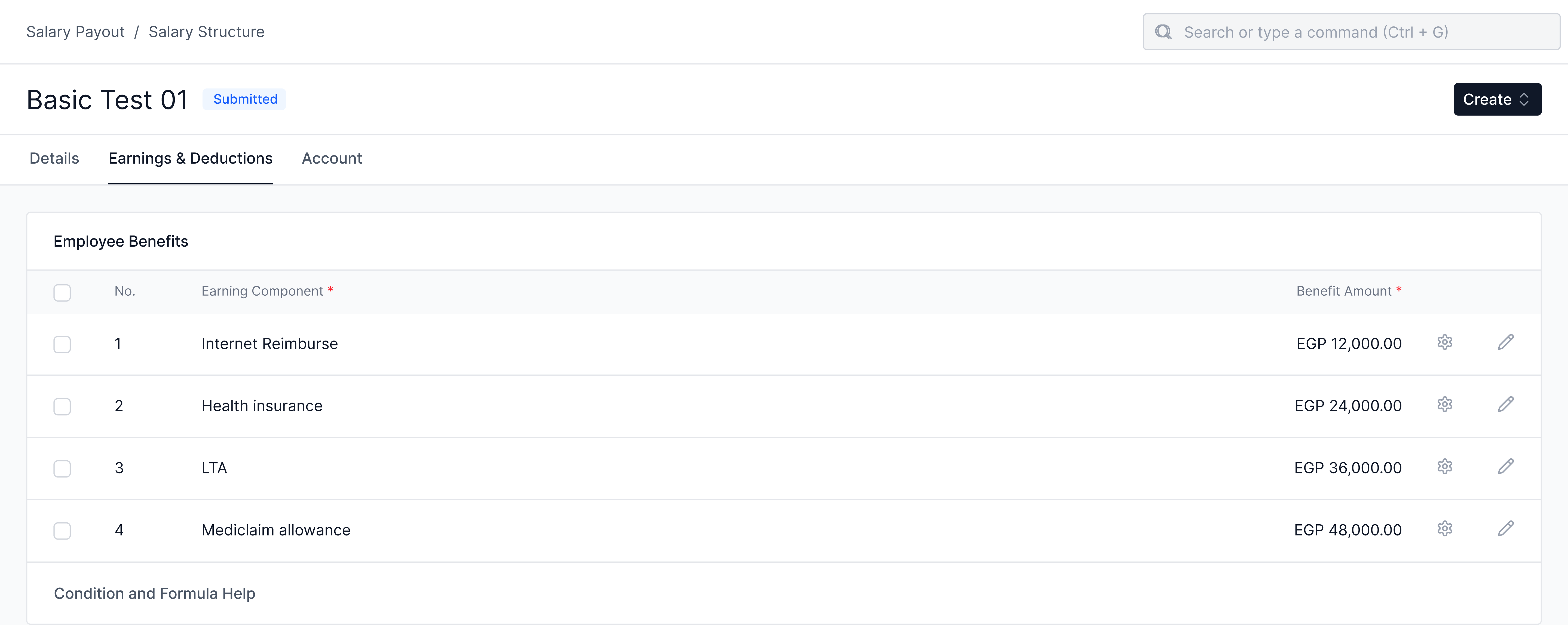
- Configure employee benefits and their yearly amount in the Salary Structure. This acts as the template for employee benefits.
- When a Salary Structure is assigned to an employee, these details are copied into the Salary Structure Assignment and can be edited further if required.
- The final list and amounts in the Salary Structure Assignment are what the system considers.
Employee Benefit Application
- Employees can opt for the benefits they want from those assigned in their Salary Structure Assignment.
- If no Benefit Application exists, the system falls back to the Salary Structure Assignment.
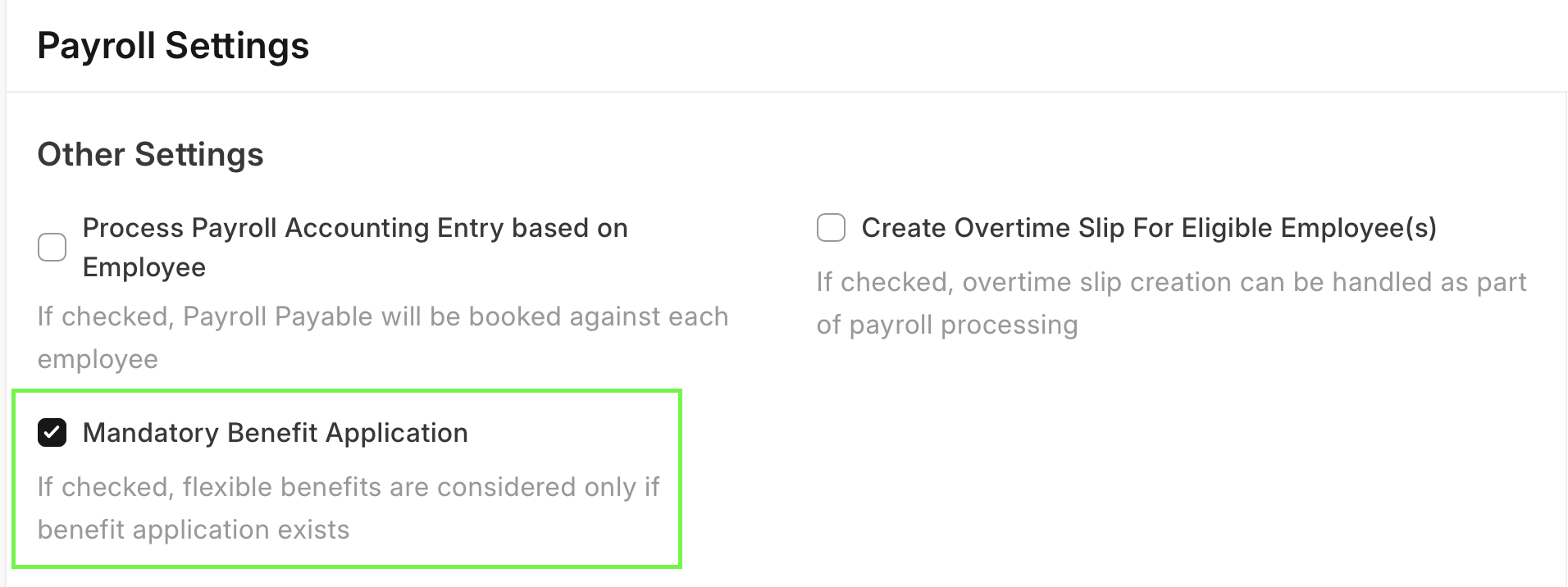
- To make a Benefit Application mandatory, enable Mandatory Benefit Application in Payroll Settings.
Employee Benefit Ledger
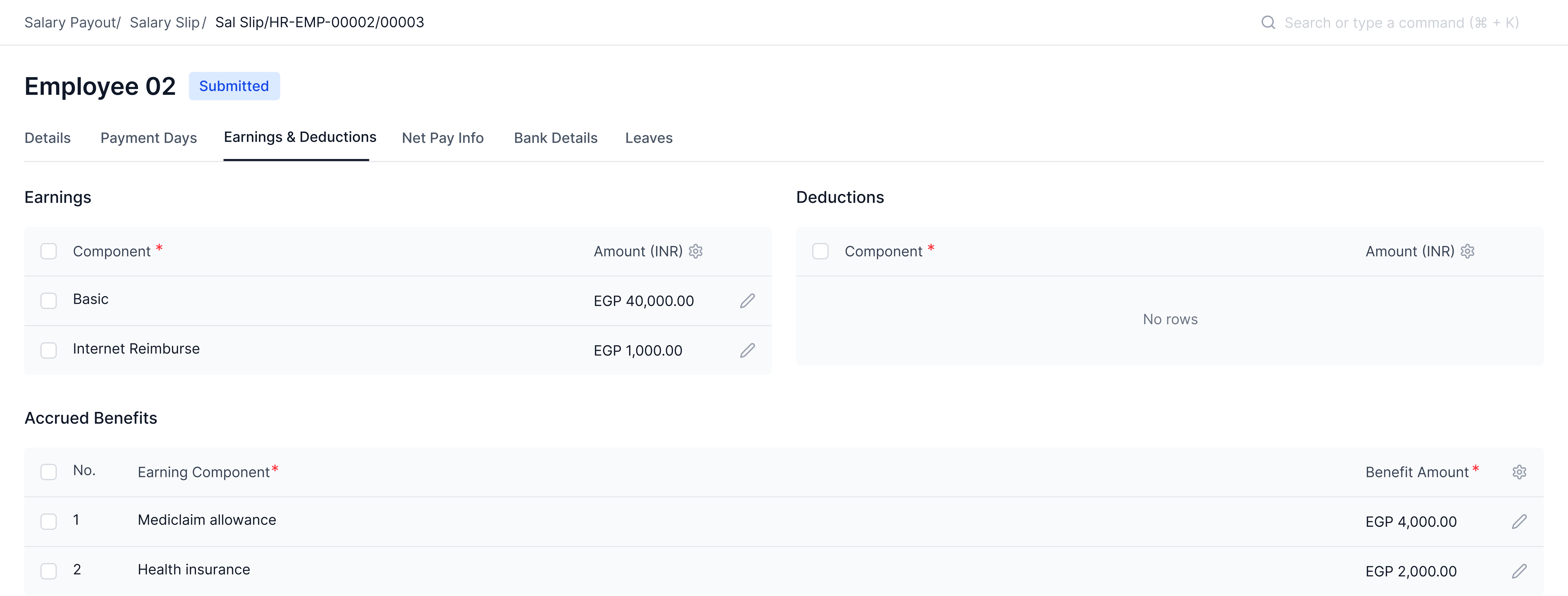
- In the Salary Slip:
- Accrued Benefits appear in the Accrued Benefits table.
- Payouts appear as Earnings.
- After salary is processed, a Benefit Ledger Entry is created for every accrual and payout to keep track of balances.
Employee Benefit Claim
Claims can be submitted only for these payout types:
- Accrue per cycle, pay only on claim
- Claim limit = Total accrued so far + Current month’s entitlement
- Allow claim up to the full period limit
- Claim limit = Total assigned amount
Accrual Component in Salary Component
A new checkbox Accrual Component is available in the Salary Component doctype.
Example use case:
- HR wants to record a Loyalty Bonus equal to 5% of basic salary every month and pay it out after 10 months.
- Create a Salary Component Loyalty Bonus, enable Accrual Component, and add it to the Salary Structure with a formula.
- This accrual will:
- Show in the salary slip as Accrued Earnings.
- Not be included in gross pay or accounting entries.
- Create an Employee Benefit Ledger entry for tracking.
- At the end of 10 months, the employer can create an Additional Salary for the accrued amount, which will then flow into gross pay, accounting, and tax calculations.
Accrued Earnings Report
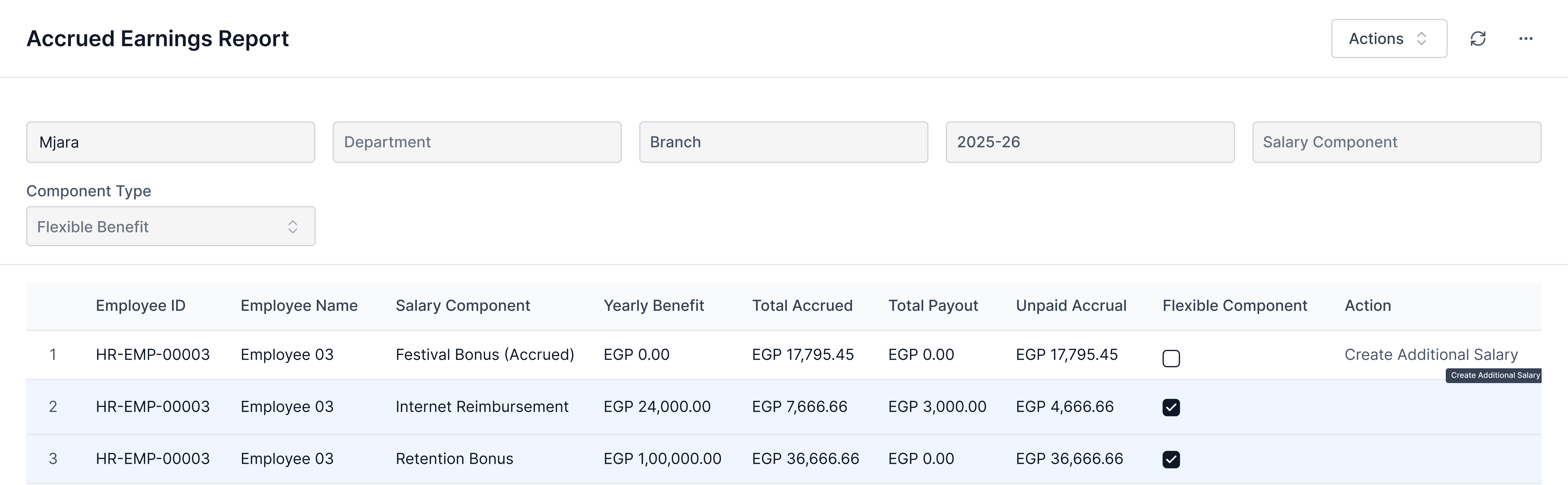
A report to track total accruals and payouts.
- For standard accruals, users can create an Additional Salary for pending payouts directly.
- For flexible benefits, payouts must be done via an Employee Benefit Claim.
Last updated 3 weeks agoWas this helpful?
Submit
Thanks!