User GuideManualEnglish DocumentationMiscellaneous
Plant Floor
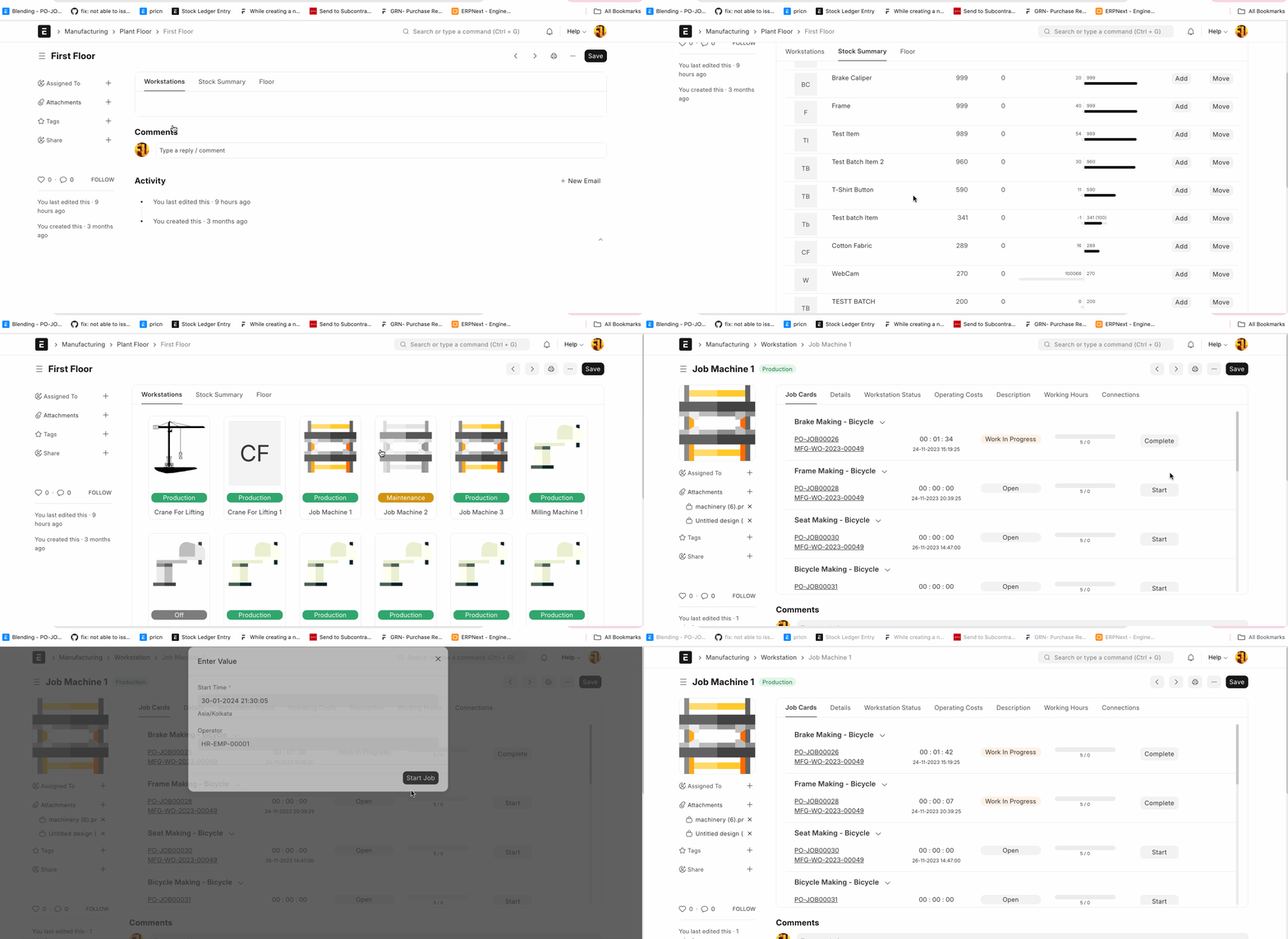
Plant Floor feature in the Mjara ERP is used to visualize the status of machines and workstations within the corresponding plant floor. This feature provides visual interface for processing job cards.
How It Works
- Create the plant floor and set the warehouse (Manufacturing -> Plant Floor -> New)
- Create machine using workstation and select the plant floor.
- Set the Illustration for the active and inactive status in the workstation.
After that you can see the status of machines and workstations using plant floor.
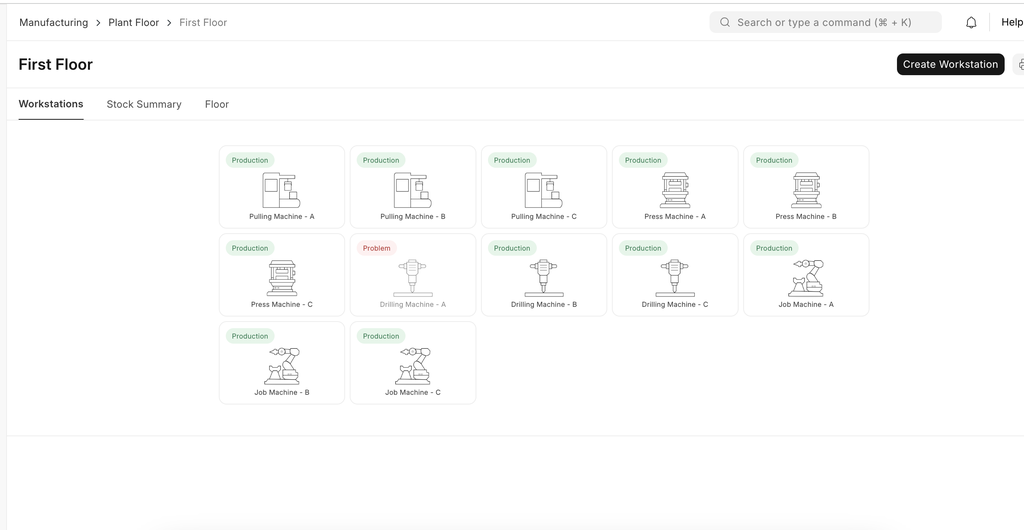
Visualize Stock Summary
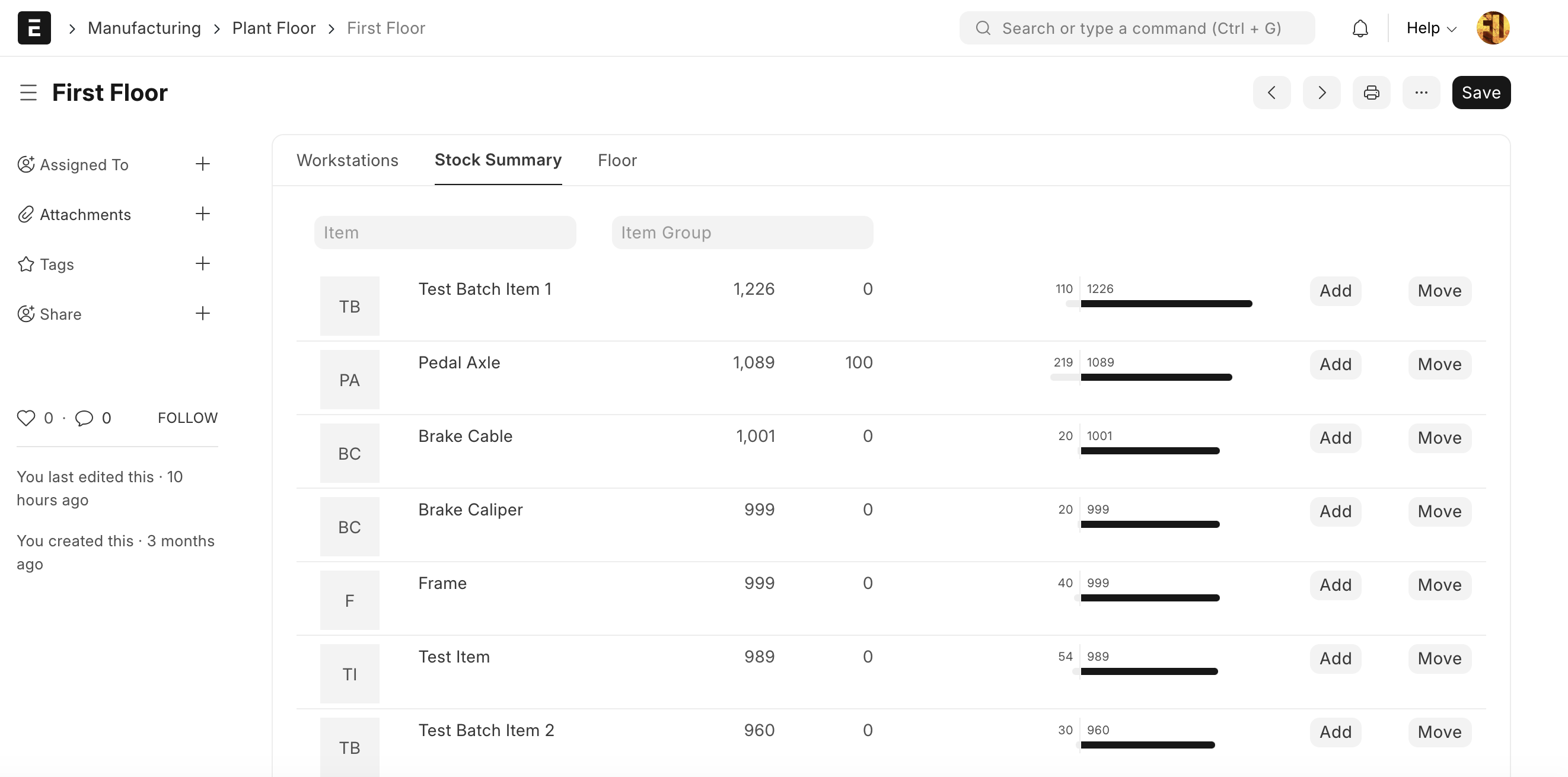
Using plant floor, users can visualize the stock of the corresponding plant floor. Using this feature user can add or move the stock.
Visualize Job Cards
Last updated 3 weeks agoWas this helpful?
Submit
Thanks!