User GuideManualEnglish DocumentationMiscellaneous
Disable Signup on Mjara ERP Website
Mjara ERP has portal feature available which allows third parties like Customers and Suppliers sign, place new orders and track updates on the previous orders.
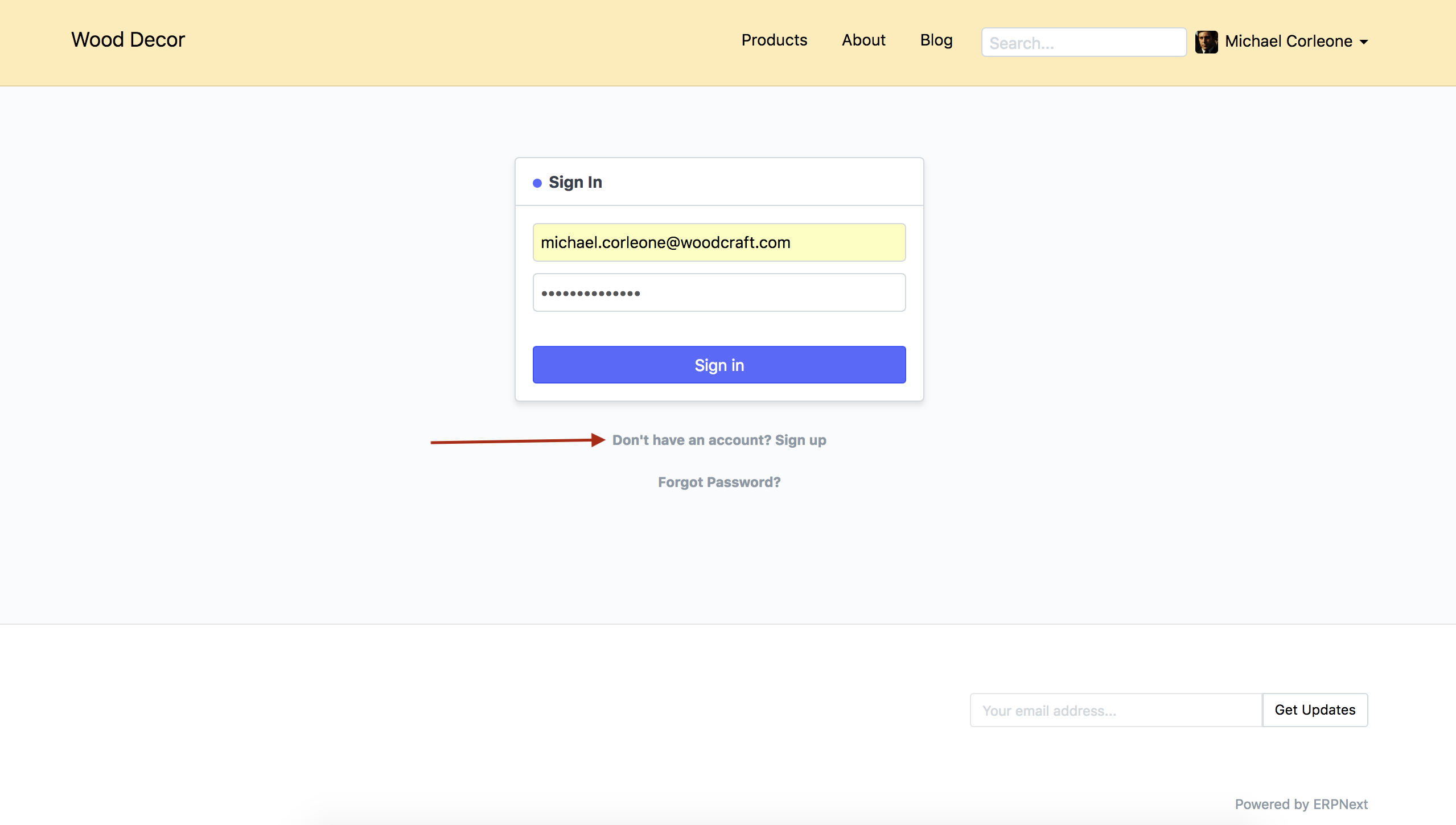
To allow new Customer and Supplier to Signup, the login page of your Mjara ERP account has Signup link avaiable. However, if you wish to disbale this feature, you can achieve it by following the steps given below.
Steps
- Go To
Website > Setup > Website Settings `
- In the Website Settings page, scroll down upto
More Informationsection. - Check fied
Disable Signup.
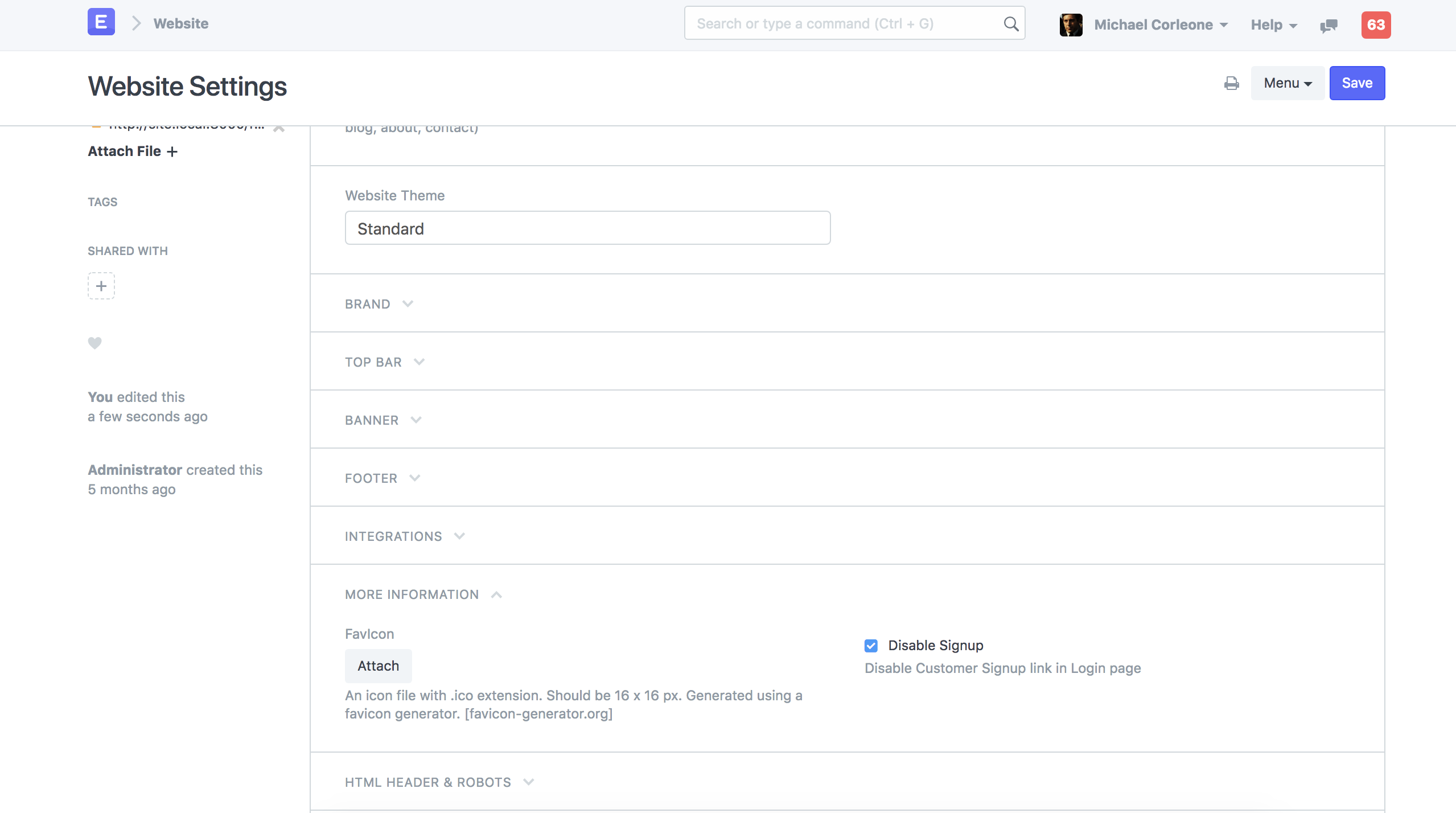
- Save Website Settings. Last updated 3 weeks agoWas this helpful?
Submit
Thanks!