Assignment Rules- Mjara Helpdesk
Assignment Rules- Mjara Helpdesk
AboutPricingSetup GuideDocumentationBlogContactFeaturesTicket ManagementService Level AgreementAssignment RulesCustomer Self-ServiceCustomization and ControlsInsights & ReportingMobile Access (PWA)
Assignment Rules
DocumentationBlogs [Documentation]Get started with Mjara Helpdesk [Cloud Hosting]
Insights
features
Assignment Rules
When a ticket comes in, someone has to decide where it goes. But doing this manually, every time, takes effort. It slows things down, creates confusion, and often leads to tickets getting stuck or missed altogether. Mjara Helpdesk helps you automate this step. Tickets go to the right person right away, so your team can get started without any delays.
With Mjara Helpdesk, you can define SLAs that match your support goals. Set different response and resolution times depending on the type of issue, its priority, or which team is handling it. It helps your team stay on track and builds trust with your customers.
[1.
Assign Based on Rules](/mjara-helpdesk/#assign-based)[2.
Flexible Assignment Options](/mjara-helpdesk/#assignment-options)[3.
Handle Escalations Smoothly](/mjara-helpdesk/#handle-escalations)
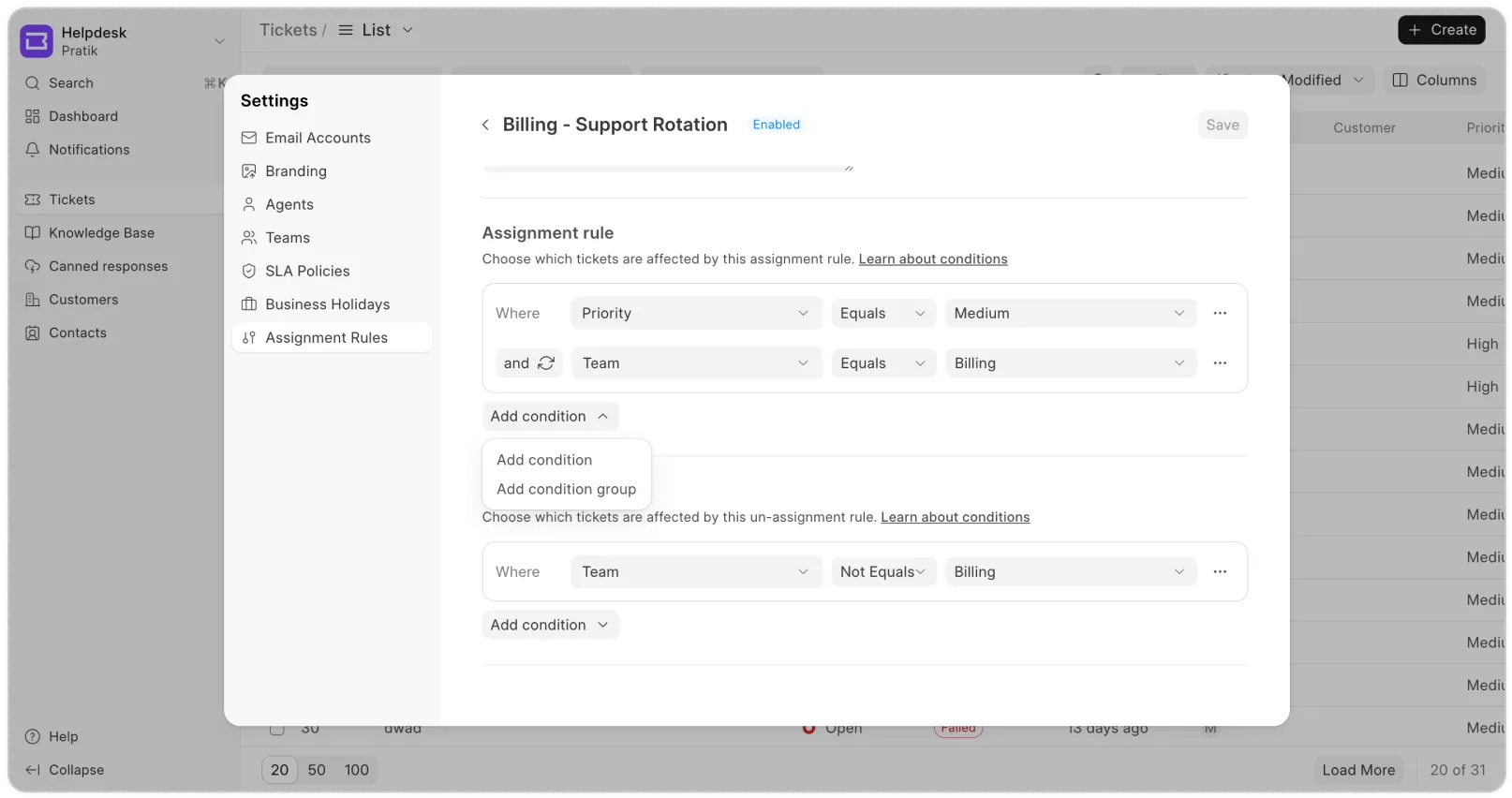
Assign Based on Rules
Tickets often bounce around because they’re assigned to the wrong person or team. A technical issue might land with the billing team, or a high-priority ticket might sit unassigned for too long.
With Mjara Helpdesk, you can route tickets automatically. Set conditions based on category, priority, keywords, or custom fields. The system checks those conditions and sends the ticket straight to the right team. It reduces back-and-forth and helps customers get faster responses.
With Mjara Helpdesk, you can route tickets automatically. Set conditions based on category, priority, keywords, or custom fields. The system checks those conditions and sends the ticket straight to the right team. It reduces back-and-forth and helps customers get faster responses.
Flexible Assignment Options
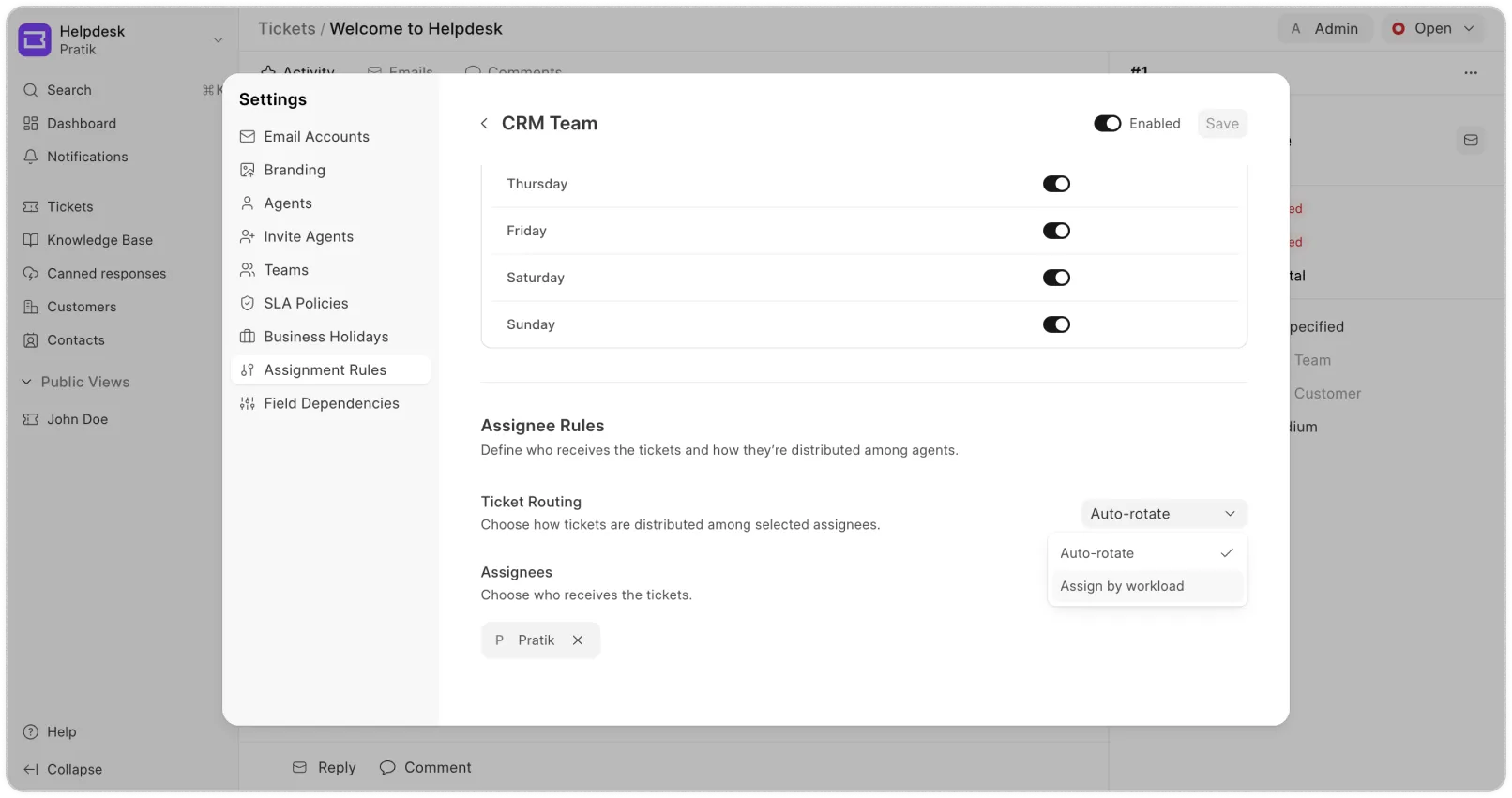
When tickets are assigned manually, some agents end up with too much while others have barely anything to do. It slows things down and makes it harder to keep everyone engaged.
With Mjara Helpdesk, you can automatically distribute tickets across your team. Choose from round-robin or load-based assignment, depending on what works best. Each team can have its own set of agents, and the system routes tickets accordingly. That way, no one is overwhelmed, and customers get faster responses.
Handle Escalations Smoothly
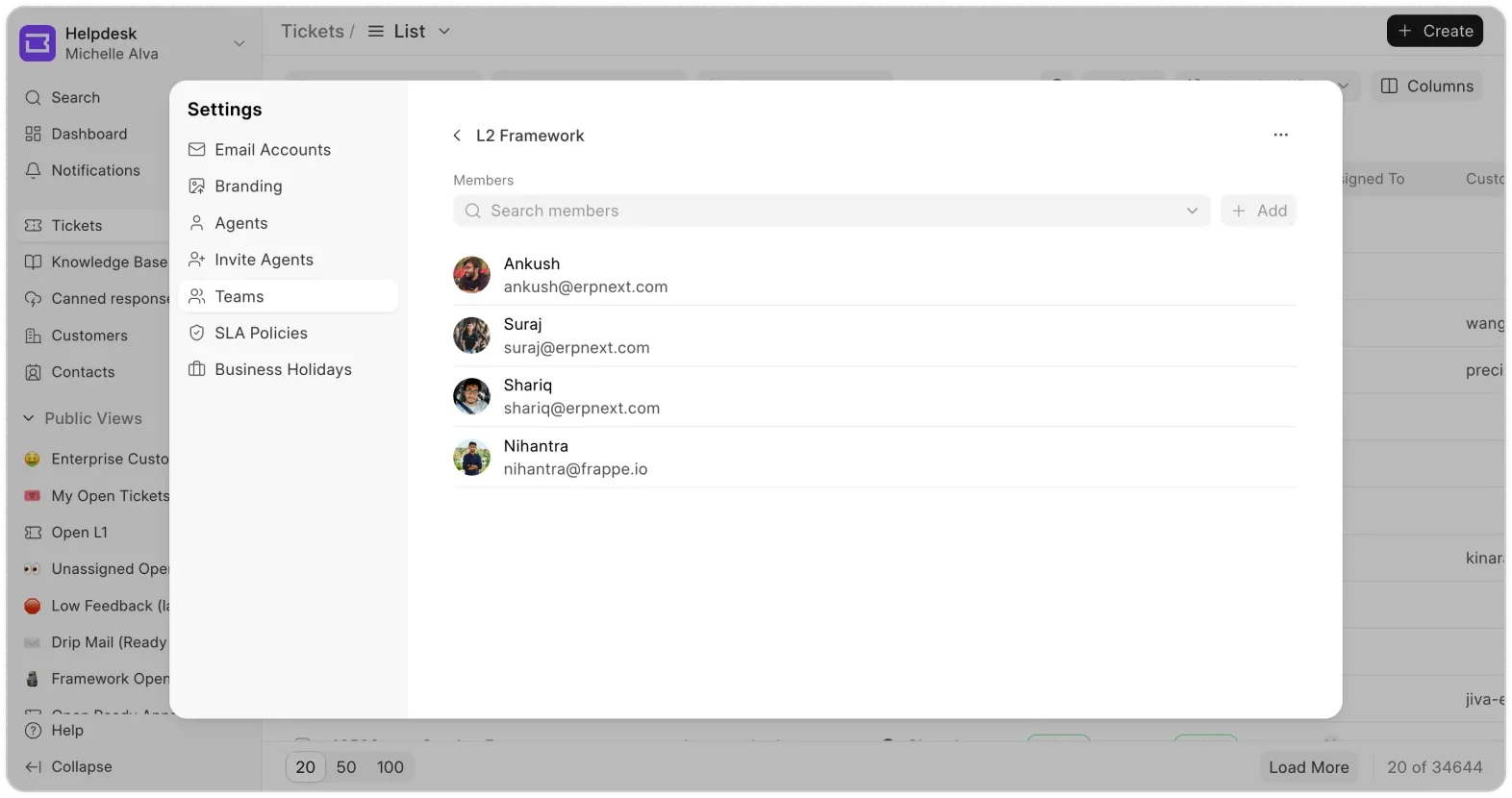
Not every ticket gets solved on the first try. Some need more time, and others need a more experienced person to step in. With Mjara Helpdesk, you can set rules to escalate tickets that stay open too long or are marked high priority.
Tickets can be reassigned to a different agent group, moved from L1 to L2 or L3, or routed to another team entirely. It helps make sure the right people step in at the right time, before the issue becomes a bigger problem.
previous feature
Service Level Agreements (SLAs)
next feature
Customization & ControlsContentsProductsPartnersCertificationsContactTermsSocial
"To err is human, to forgive is design." – Andrew Dillon