User GuideManualEnglish DocumentationProjects
Activity Type
Activity Type in Mjara ERP helps you maintain different types of activities against which a Timesheet can be made.
To access Activity Type, go to,
Home > Projects > Time Tracking > Activity Type
How to create Activity Type
- Go to the Activity Type List and click on New.
- Add the subject of the Activity Type.
- Specify 'Default Costing Rate' if any.
- Mention 'Default Billing Rate' is applicable.
- Save.
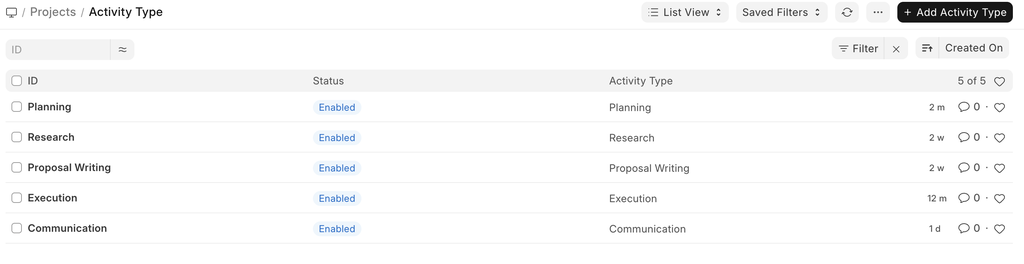
By default, the following Activity Types are created in Mjara ERP.
- Planning
- Research
- Proposal Writing
- Execution
- Communication
Further, The Default Costing Rate and the Default Billing Rate for Individual Employees can also be configured using Activity Cost.
Last updated 2 weeks agoWas this helpful?
Submit
Thanks!