User GuideManualEnglish DocumentationAccounting
Tax Inclusive Accounting
Use Case: Tax-inclusive pricing incorporates the sales tax paid by your customer into the item’s total price.
For example, If an item costs $100 with a tax rate of 10%, the customer still pays a flat $100, of which $9.10 is collected as tax. To configure this, following the following steps:
- In the Sales Taxes and Charges section, go to the table view of the tax in question and expand the row.
- Check the "Is this Tax included in Basic Rate?" checkbox.
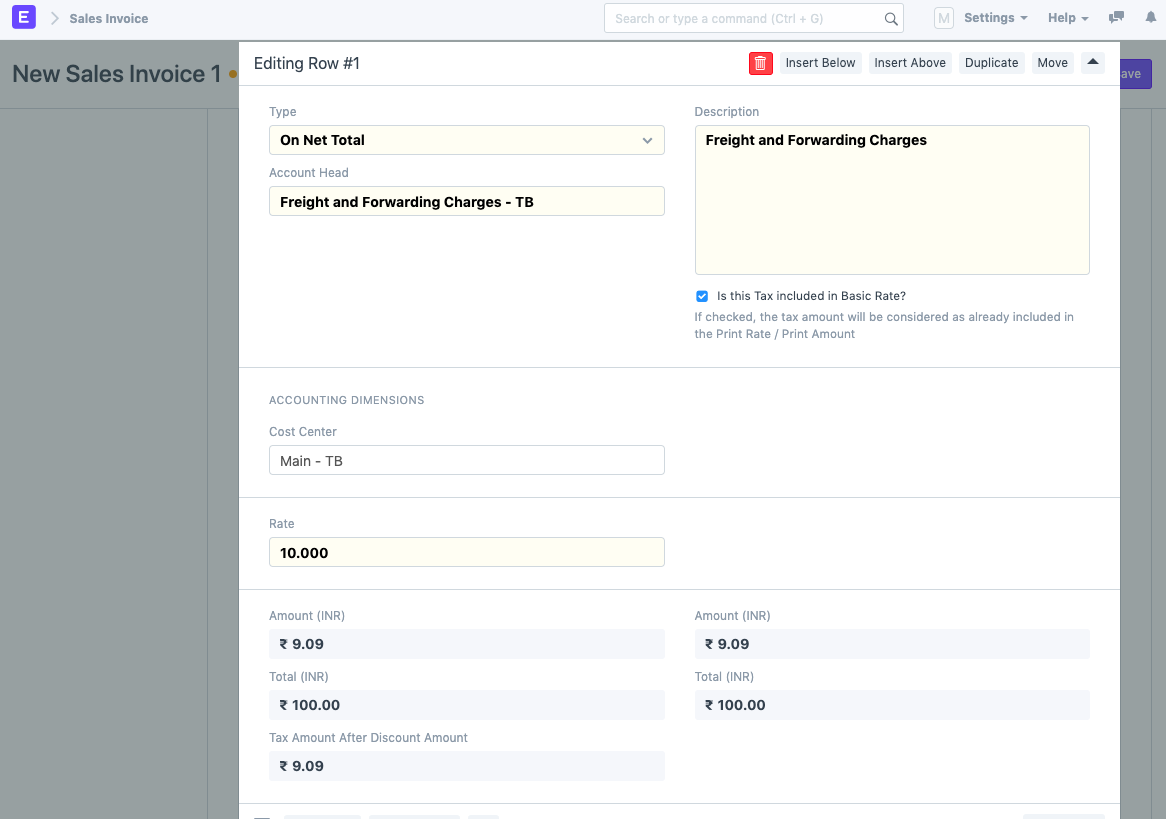
The system back calculates the tax accordingly.
Last updated 3 weeks agoWas this helpful?
Submit
Thanks!